Uitgavegeschiedenis Adobe Reader

Hieronder vindt u beschrijvingen van de wijzigingen en vernieuwingen in de opeenvolgende versies van Adobe Reader.

Adobe Acrobat Reader DC 2015.009.20069, Adobe Reader 11.0.13/10.1.16

Van pdf-lezer Adobe Reader voor Windows en Mac zijn voor versie 10 (laatste versie voor Vista) en 11 de reguliere driemaandelijkse updates verschenen. Elk kwartaal brengt Adobe een nieuwe versie van zijn Reader uit. Deze keer is het een onderhoudsupdate die maar liefst 56 beveiligingslekken repareert! Verder worden nog diverse fouten opgelost.

Voor de nieuwe Adobe Acrobat Reader DC is ook een nieuwe versie verschenen die de lekken repareert en nieuwe functionaliteit introduceert. Zo worden pdf'jes nu in tabbladen weergegeven als je meerdere opent. Ook biedt Adobe Acrobat Reader DC integratie met Dropbox.

De 56 beveiligingslekken die zijn opgelost, zijn kritiek en kunnen in het ergste geval ertoe leiden dat een aanvaller de controle over een computer op afstand overneemt. Snel updaten is dus wenselijk. Details kun je hieronder nalezen.

Adobe Acrobat Reader DC is te verkrijgen voor Windows en Mac OS X. De oude Adobe Reader is ook nog gewoon te downloaden. Updaten gaat het makkelijkst met de ingebouwde update-functie van Adobe onder Help. Er zijn ook versies voor Android, iOS en Windows Phone.

Uitgave opmerkingen:

  • These updates resolve a buffer overflow vulnerability that could lead to information disclosure (CVE-2015-6692).
  • These updates resolve use-after-free vulnerabilities that could lead to code execution (CVE-2015-6689, CVE-2015-6688, CVE-2015-6690, CVE-2015-7615, CVE-2015-7617, CVE-2015-6687, CVE-2015-6684, CVE-2015-6691, CVE-2015-7621, CVE-2015-5586, CVE-2015-6683).
  • These updates resolve heap buffer overflow vulnerabilities that could lead to code execution (CVE-2015-6696, CVE-2015-6698).
  • These updates resolve memory corruption vulnerabilities that could lead to code execution (CVE-2015-6685, CVE-2015-6693, CVE-2015-6694, CVE-2015-6695, CVE-2015-6686, CVE-2015-7622).
  • These updates resolve memory leak vulnerabilities (CVE-2015-6699, CVE-2015-6700, CVE-2015-6701, CVE-2015-6702, CVE-2015-6703, CVE-2015-6704, CVE-2015-6697).
  • These updates resolve security bypass vulnerabilities that could lead to information disclosure (CVE-2015-5583, CVE-2015-6705, CVE-2015-6706, CVE-2015-7624).
  • These updates resolve various methods to bypass restrictions on Javascript API execution (CVE-2015-6707, CVE-2015-6708, CVE-2015-6709, CVE-2015-6710, CVE-2015-6711, CVE-2015-6712, CVE-2015-7614, CVE-2015-7616, CVE-2015-6716, CVE-2015-6717, CVE-2015-6718, CVE-2015-6719, CVE-2015-6720, CVE-2015-6721, CVE-2015-6722, CVE-2015-6723, CVE-2015-6724, CVE-2015-6725, CVE-2015-7618, CVE-2015-7619, CVE-2015-7620, CVE-2015-7623, CVE-2015-6713, CVE-2015-6714, CVE-2015-6715).

Adobe Acrobat Reader DC 2015.008.20082, Adobe Reader 11.0.12/10.1.15

Van pdf-lezer Adobe Reader voor Windows en Mac zijn voor versie 10 (laatste versie voor Vista) en 11 de reguliere driemaandelijkse updates verschenen. Elk kwartaal brengt Adobe een nieuwe versie van zijn Reader uit. Deze keer is het een beveiligings- en onderhoudsupdate die maar liefst 46 lekken dichtplakt. Verder worden nog tientallen fouten gerepareerd. Voor de nieuwe Adobe Acrobat Reader DC is ook een nieuwe versie verschenen die de lekken repareert.

De 46 beveiligingslekken die zijn gerepareerd, zijn kritiek en kunnen in het ergste geval ertoe leiden dat een aanvaller de controle over een computer op afstand overneemt. Details kun je hieronder nalezen.

Adobe Acrobat Reader DC is te verkrijgen voor Windows en Mac OS X. De oude Adobe Reader is ook nog gewoon te downloaden. Updaten gaat het makkelijkst met de ingebouwde update-functie van Adobe onder Help. Er zijn ook versies voor Android, iOS en Windows Phone.

Uitgave opmerkingen:
These updates resolve a buffer overflow vulnerability that could lead to code execution (CVE-2015-5093).  
These updates resolve heap buffer overflow vulnerabilities that could lead to code execution (CVE-2015-5096, CVE-2015-5098, CVE-2015-5105).  
These updates resolve memory corruption vulnerabilities that could lead to code execution (CVE-2015-5087, CVE-2015-5094, CVE-2015-5100, CVE-2015-5102, CVE-2015-5103, CVE-2015-5104, CVE-2015-3095, CVE-2015-5115, CVE-2014-0566). 
These updates resolve an information leak vulnerability (CVE-2015-5107).  
These updates resolve security bypass vulnerabilities that could lead to information disclosure (CVE-2015-4449, CVE-2015-4450, CVE-2015-5088, CVE-2015-5089, CVE-2015-5092, CVE-2014-8450).  
These updates resolve a stack overflow vulnerability that could lead to code execution (CVE-2015-5110). 
These updates resolve use-after-free vulnerabilities that could lead to code execution (CVE-2015-4448, CVE-2015-5095, CVE-2015-5099, CVE-2015-5101, CVE-2015-5111, CVE-2015-5113, CVE-2015-5114). 
These updates resolve validation bypass issues that could be exploited to perform privilege escalation from low to medium integrity level (CVE-2015-4446, CVE-2015-5090, CVE-2015-5106). 
These updates resolve a validation bypass issue that could be exploited to cause a denial-of-service condition on the affected system (CVE-2015-5091).  
These updates resolve integer overflow vulnerabilities that could lead to code execution (CVE-2015-5097, CVE-2015-5108, CVE-2015-5109).  
These updates resolve various methods to bypass restrictions on JavaScript API execution (CVE-2015-4435, CVE-2015-4438, CVE-2015-4441, CVE-2015-4445, CVE-2015-4447, CVE-2015-4451, CVE-2015-4452, CVE-2015-5085, CVE-2015-5086).  
These updates resolve null-pointer dereference issues that could lead to a denial-of-service condition (CVE-2015-4443, CVE-2015-4444). 

Adobe Reader 11.0.11/10.1.14

Van pdf-lezer Adobe Reader voor Windows en Mac zijn voor versie 10 (laatste versie voor Vista) en 11 de reguliere driemaandelijkse updates verschenen. Elk kwartaal brengt Adobe een nieuwe versie van zijn Reader uit. Deze keer is het een beveiligings- en onderhoudsupdate die 34 lekken dichtplakt. Verder worden nog tientallen fouten gerepareerd en optimalisaties doorgevoerd. Voor de nieuwe Adobe Acrobat Reader 2015 is voorzover bekend geen nieuwe versie uitgebracht.

De 34 beveiligingslekken die zijn gerepareerd, zijn ernstig en kunnen in het ergste geval ertoe leiden dat een aanvaller de controle over een computer op afstand overneemt. Verder zijn fouten op het gebied van pdf creatie, printen, beveiliging, formulieren, scans en meer opgelost. Ten slotte zijn de stabiliteit en prestaties van Adobe Reader 10 en 11 verbeterd. Details kun je hieronder nalezen.

Adobe Reader is te verkrijgen voor Windows en Mac OS X. Updaten gaat het makkelijkst met de ingebouwde update-functie van Adobe onder Help.

Uitgave opmerkingen:

These updates resolve use-after-free vulnerabilities that could lead to code execution (CVE-2015-3053, CVE-2015-3054, CVE-2015-3055, CVE-2015-3059, CVE-2015-3075).

These updates resolve heap-based buffer overflow vulnerabilities that could lead to code execution (CVE-2014-9160).

These updates resolve a buffer overflow vulnerability that could lead to code execution (CVE-2015-3048).

These updates resolve memory corruption vulnerabilities that could lead to code execution (CVE-2014-9161, CVE-2015-3046, CVE-2015-3049, CVE-2015-3050, CVE-2015-3051, CVE-2015-3052, CVE-2015-3056, 
CVE-2015-3057, CVE-2015-3070, CVE-2015-3076). 

These updates resolve a memory leak (CVE-2015-3058).  

These updates resolve various methods to bypass restrictions on Javascript API execution (CVE-2015-3060, CVE-2015-3061, CVE-2015-3062, CVE-2015-3063, CVE-2015-3064, 
CVE-2015-3065, CVE-2015-3066, CVE-2015-3067, CVE-2015-3068, CVE-2015-3069, CVE-2015-3071, 
CVE-2015-3072, CVE-2015-3073, CVE-2015-3074).

These updates resolves a null-pointer dereference issue that could lead to a denial-of-service condition (CVE-2015-3047). 

These updates provide additional hardening to protect against CVE-2014-8452, a vulnerability in the handling of XML external entities that could lead to information disclosure. 

PDF creation

3688510: Links in excel file are not converted properly while creating its PDF.
3775740: Lotus Notes 9.0.1 gives overflow error when Acrobat pdfmaker 11.0.06 is installed.
3784788: Converting word document with PDF/A-1a settings changes the background color of image/logo.
3853699: PDFMaker creates wrong hierarchy of bookmarks.
3928949: Acrobat crashes on combining certain files.
3929617: The header section of a particular Word file is missing when the file is converted to PDF via PDFMaker.
3952917: Watermarks are not getting converted from Word to PDF with PDF/A-1a compliance.
3967774: When we convert a Word document that contains Image and Text in the Header, into PDF using PDF Maker, the text goes at the back of image or is hidden in the resultant PDF.
3967825: Graphic renders incorrectly when converting a word file to PDF.
3967845: A part of the Word document is not visible when creating the pdf.

SharePoint Integration

3811589: “Acrobat error Bad Parameter” is observed when trying to add a Digital ID pfx file from SharePoint server in Acrobat.

Forms

3679438: In a rich text field of a certain length with hyphenation activated text exceeds the field on the left if it’s a hyphenated word and a tab is inserted in that line of text.
3739811: FDF is not submitted until browser page is refreshed (F5) when using IE and Reader/Acrobat 11.0.6.

Actions and Batch

3779402: Encrypt Action gets skipped while applying them on XFA forms in Acrobat XI.

Security

3347254: The text of Japanese watermark added via LCRM became garbled characters in Reader on Mac.
3781478: Digitally signing the inner pdf doesn’t mark the file as “dirty”, so closing Acrobat doesn’t prompt for saving, and the Save menu item is disabled.
3923451: Acrobat blocks using national hashing algorithms in third-party DigSig plugins.
3934339: Signature Advanced Properties does not display the Hash Algorithm.
3949115: The revocationTime Entry in an OCSP Response is not Being Processed Correctly.
3954774: Dig Sig Validation is slowed down due to Address Book Size.

Scan

3839426: Recognize Text with Clearscan halts when renderable text is found.
3860498: Scanning options are not appearing in ICA window.

PrePress

3782274: Spot color swatches in Ink Manager display incorrectly on Mac OS.

Livecycle

3841688: Reader was not handling error responses in SOAP requests.
3856876: Some of the users are not able to open policy protected PDFs with SSO.
3859806: If the title of the First Capture button is long for a BIOMETRIC scanning, then the text in the button gets truncated.

Printing

3843533: Printing a file from Adobe PDF Printer, doesn’t prompt for file name and creates a .tmp file instead.

Miscellaneous

3701410: Some Button events on an interactive PDF do not work in full screen mode.
3772833: A PDF file that contains a PDF page embedded as an XObject of type EmbeddedFile crashes in Adobe Reader 11.0.6 and Acrobat Pro 11.
3860951: With PV On, Sendmail adds a tmp (or other non-PDF) attachment.
3939577: Adobe Acrobat/Reader XI does not show full-screen when rotate operation(90/270) is performed on Lenovo Ideapad Yoga 13.
3940908: Acrobat/Reader window goes blank on clicking “Open” button for certain languages.
3945503: When opening pdfs on Terminal Server 2003 relatively small pdfs (78kb) take 12+ seconds to open.
3948504: Acrobat hangs when document with bad Bookmarks is opened.
3960792: Acrobat becomes unresponsive with a digitizer pen if turning off flicks and ‘press and hold’ setting in Pen and Touch in Control Panel.

Adobe Acrobat Reader DC 2015.007.20033

Pdf-lezer Adobe Reader heeft een nieuwe naam gekregen: Adobe Acrobat Reader DC. En DC staat voor Document Cloud - waar je 5 GB online opslagruimte kunt krijgen als je gratis registreert.

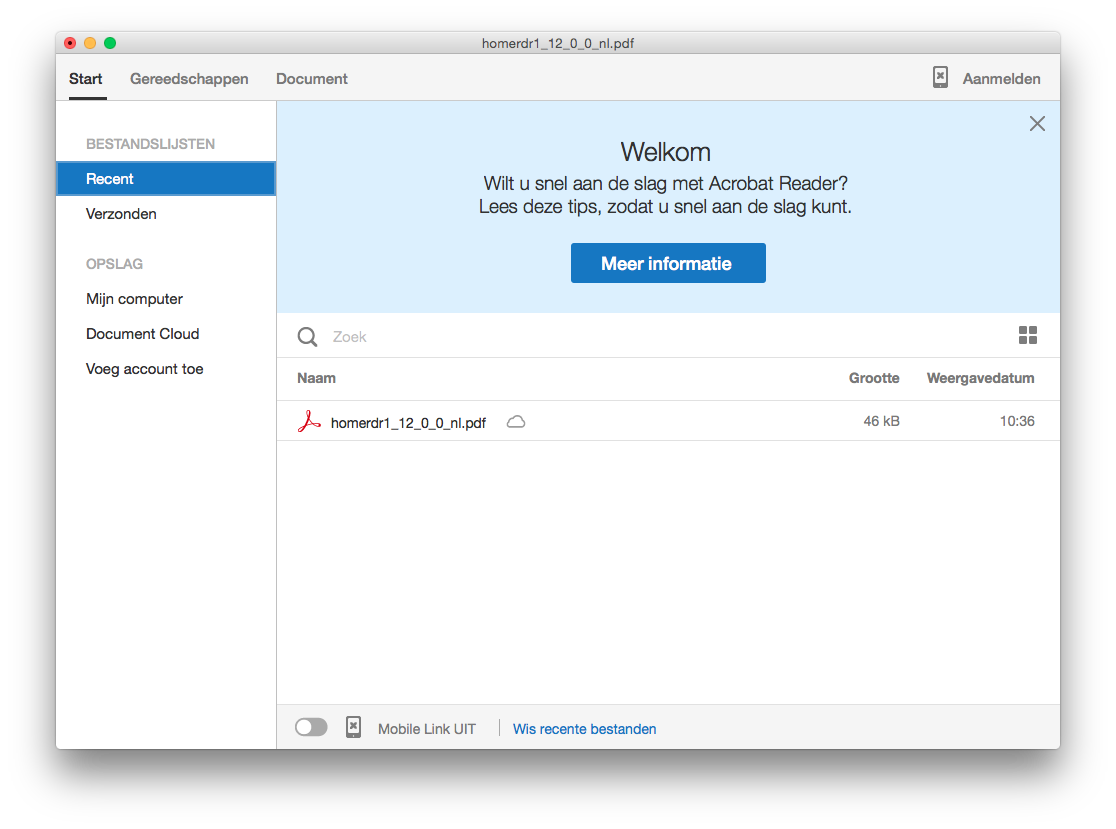
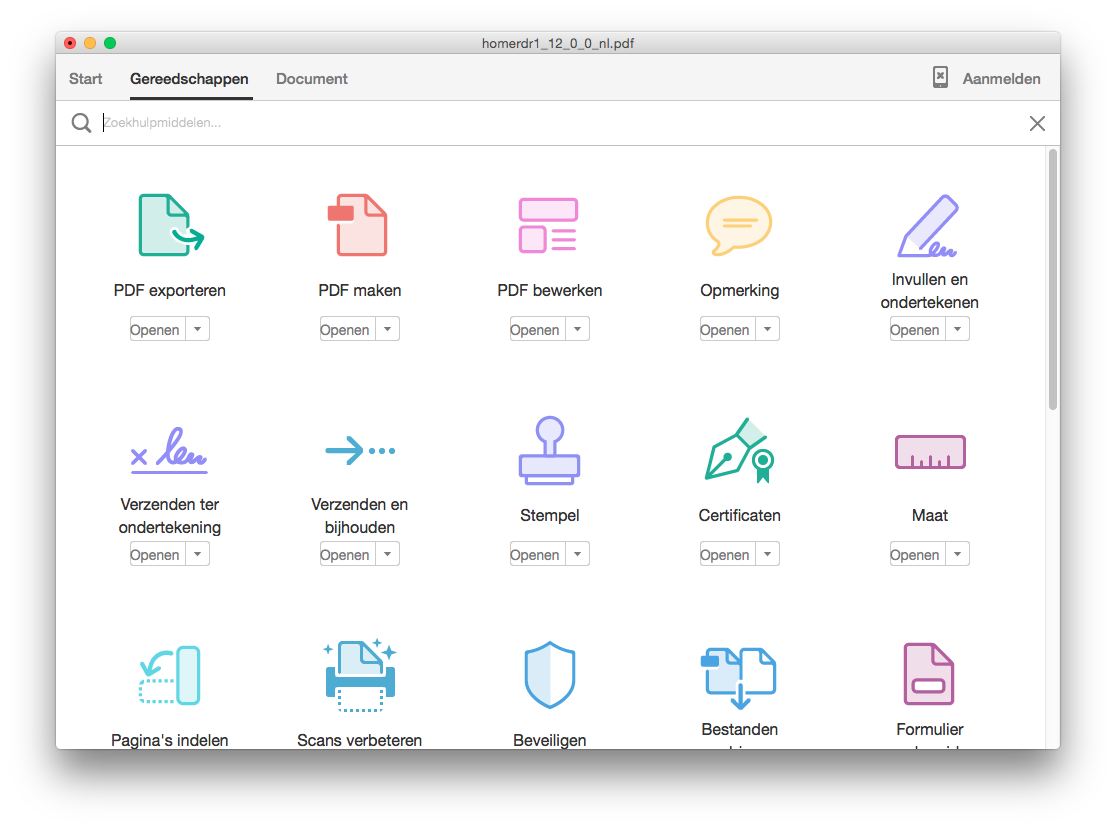
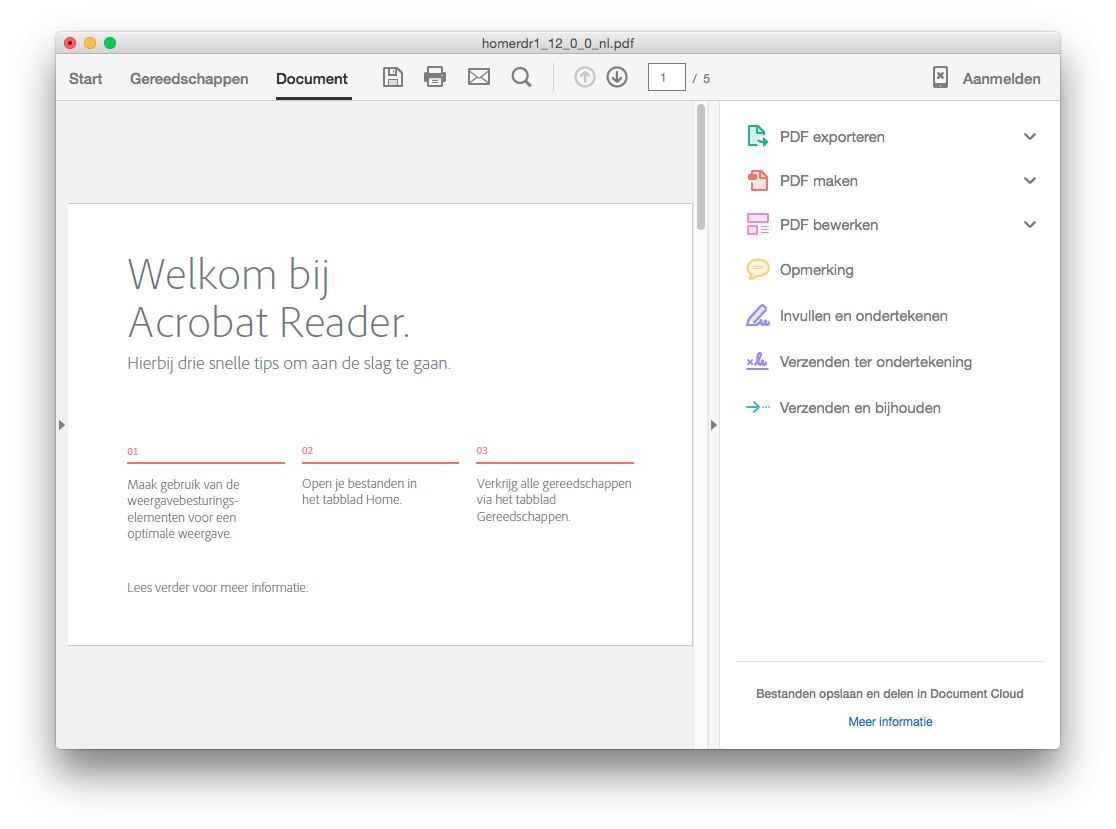
Adobe Acrobat Reader DC heeft verder een geheel vernieuwde interface, waarbij Start, Gereedschappen en Document de belangrijkste elementen zijn.

Start is de plek waar je documenten uit de Adobe Cloud, van je pc (of uit Sharepoint voor zakelijke gebruikers) kunt openen.

In Gereedschappen vind je alle tools waarmee je PDF'jes kunt ondertekenen, notities kunt maken en veel meer. Helaas zijn de meeste functies alleen beschikbaar als je een betaald abonnement neemt. Dus pdf bewerken, maken en exporteren is er niet bij in de gratis versie. Stempels, ondertekenen en opmerkingen weer wel.

Document is ten slotte het tabblad waar je documenten bekijkt en eventueel kleine bewerkingen kunt uitvoeren.

Adobe Acrobat Reader DC is te verkrijgen voor Windows en Mac OS X. Updaten gaat het makkelijkst met de ingebouwde update-functie van Adobe onder Help. Er zijn ook apps voor Android, iOS en Windows Phone.

Wat vind jij van de vernieuwde Adobe Acrobat Reader DC? Een verbetering ten opzichte van de oude Adobe Reader? En beter of slechter dan gratis alternatieven? Wij horen graag je mening in de reacties hieronder!

Adobe Reader XI 11.0.10

Van pdf-lezer Adobe Reader is de reguliere driemaandelijkse update verschenen. Elk kwartaal brengt Adobe een nieuwe versie van zijn Reader uit. Deze keer is het een beveiligings- en onderhoudsupdate die 20 lekken dichtplakt. Verder worden nog tientallen fouten gerepareerd, enkele functies verbeterd en optimalisaties doorgevoerd.

De 20 beveiligingslekken die zijn gerepareerd, zijn ernstig en kunnen in het ergste geval ertoe leiden dat een aanvaller de controle over een computer op afstand overneemt. Verder zijn fouten op het gebied van pdf creatie, services, toegankelijkheid, beeldresolutie en beveiliging opgelost. Ten slotte zijn de stabiliteit en prestaties van Adobe Reader 11.0.10 verbeterd. Details kun je hieronder nalezen.

Adobe Reader is te verkrijgen voor Windows en Mac OS X. Updaten gaat het makkelijkst met de ingebouwde update-functie van Adobe onder Help.

Uitgave opmerkingen:

These updates resolve use-after-free vulnerabilities that could lead to code execution (CVE-2014-8454, CVE-2014-8455, CVE-2014-9165).

These updates resolve heap-based buffer overflow vulnerabilities that could lead to code execution (CVE-2014-8457, CVE-2014-8460, CVE-2014-9159).

These updates resolve an integer overflow vulnerability that could lead to code execution (CVE-2014-8449).

These updates resolve memory corruption vulnerabilities that could lead to code execution (CVE-2014-8445, CVE-2014-8446, CVE-2014-8447, CVE-2014-8456, CVE-2014-8458, CVE-2014-8459, CVE-2014-8461, CVE-2014-9158).

These updates resolve a time-of-check time-of-use (TOCTOU) race condition that could be exploited to allow arbitrary write access to the file system (CVE-2014-9150).

These updates resolve an improper implementation of a Javascript API that could lead to information disclosure (CVE-2014-8448, CVE-2014-8451).

These updates resolve a vulnerability in the handling of XML external entities that could lead to information disclosure (CVE-2014-8452).

These updates resolve vulnerabilities that could be exploited to circumvent the same-origin policy (CVE-2014-8453). 

PDF creation
3817760: Not able to convert specific google search pages to PDF using any browser.
3814919: Wrong conversion of Word file with check box content control, black dots and no labels
3735998: Lotus Notes crashes when PDFMaker is converting Email with Hyperlinked HTML image
3694142: Some Graphs are not converting successfully from Word To PDF.

Shared reviews
This release fixes the issues introduced with 11.0.09 and described in this article.
3829650/3840402: Not able to view comments published from previous versions of Acrobat Pro/Reader.
3840400/3827994: Acrobat Pro plugin stability issues when a shared review PDF is opened in browser.
3816793: Macintosh: Spinner in Document Message Bar spins indefinitely while Synchronizer tries to sync comments automatically after 10 minutes of last comment syncing.

Services integration
3827709: The registry preference bEnableAcrobatHS does not disable the Mobile Link UI, sign in dialog, and Acrobat.com UI under Recent files.
3821661: The registry preference bEnableAcrobatHS does not remove the “View All” button from the Gateway.
3833443: Don’t prompt the user to send the document to EchoSign when he saves it post placing a signature in the PDF file.
3840714: File upload to Acrobat.com fails in browser when Acrobat is the default handler impacting EchoSign/Fill&Sign in browser.
3851416: Fixed issues related to Mobile Link with files with non-ASCII names.

LiveCycle
This release fixes the issues introduced with 11.0.09 and described in this article.
3844791: Adobe Reader doesn’t display Extended authentication Login Screen.

Accessibility
3833045: Jaws not reading dynamic toolTip
3792269: LiveCycle Forms / Output does not generate a complete 508 accessible form according to Acrobat’s accessibility checker.

Security
3804468: Fixed issues with adding and removing privileged locations.

Display resolution
3815392: On HiDPI machines, the visual appearance of the Stay Signed In check box is poor when highlighted by the keyboard.
3833898: MAC retina displays: Recent Files View appears distorted on scaled resolutions.

Performance
3819211: Acrobat stability issues on moving textbox after rotating page view.
3857477: Adobe Reader/ Acrobat Pro XI stability issues when working with form fields in two or more PDFs at the same time.

Miscellaneous
3845191: With the registry preference bIgnoreDataSchema enabled, a warning dialog appears after pagebreaks.
3842576: The Digital Signature Appearance preference when certifying with an invisible signature is “Standard Text” and that preference sticks on the next attempt to sign a document with “Sign with Certificate.”
3841512: Contents are not showing up when saving a PDF file in Acrobat. It gives error message ‘insufficient data for an image’ for some files.
3825769: Cursor Text selection does not function as expected on a signed XFA based PDF with a Table.
3730756: With Protected Mode off, the print dialog is hidden behind IE (with the Reader plugin)
3858276: ClearScan throws an error message - “Acrobat could not replace the current page”.